

Quick answer: Choose a native app when your product depends on frequent, repeat use, deep device features (camera, sensors, Bluetooth, background location, health data), offline reliability or the smoothest possible performance. Choose a web app when you need to reach people instantly through search and links, update without app store review, keep one codebase and validate demand before investing further. Many products end up with both: a responsive web app for acquisition and occasional users, and a native app for the loyal core who use it every week. The native app vs web app decision should follow your users' habits, not a trend.
WANDR designs and builds native mobile apps as well as web apps and responsive sites, so we have no reason to push one answer. This guide covers the real differences, the trade-offs founders and product leaders usually underestimate, and a simple framework for making the call.
Native app vs web app: the definitions
Native app
A native app is built for a specific platform, iOS or Android, and installed from the App Store or Google Play. Fully native apps are written in each platform's own languages and frameworks (Swift and SwiftUI for iOS, Kotlin and Jetpack Compose for Android). Cross-platform frameworks such as React Native and Flutter let one team ship to both platforms from a shared codebase while still producing installable apps with access to native features. In everyday conversation, both are called "native apps", because users install them and they live on the home screen.
Web app
A web app runs in the browser. Users reach it through a URL, a search result or a link, with nothing to install. A responsive web app adapts to phones, tablets and desktops. Think of the browser versions of tools like project management software, banking dashboards or booking systems.
Progressive web app (PWA)
A progressive web app is a web app with extra capabilities: it can be added to the home screen, work offline for some tasks, and send push notifications. PWAs close part of the gap with native apps, but support still varies by platform and browser, and most people do not know they can "install" a website.
The key differences that matter to your users
Discovery and acquisition
Web apps win at being found. Every page can rank in search, be shared in a link, and open in one tap from an email or ad. A native app adds a step: the user has to find it in a store, download it and open it. Each step loses people. For products that depend on search, sharing or paid acquisition, a strong web experience is usually the front door even when a native app exists.
Engagement and retention
Native apps win once someone is a regular. The icon on the home screen, push notifications, faster launch and smoother interactions make repeat use easier. That is why banking, fitness, health, messaging and ticketing products tend to invest in native apps for their core users.
Performance and feel
Native apps generally feel faster and more fluid, especially for complex interfaces, animation, large lists, media and anything real time. Modern web apps can be very fast, but they have to work within the browser, and performance on lower-end phones needs real attention.
Device features
Native apps have fuller access to device capabilities: camera controls, biometrics, Bluetooth, NFC, background location, health and fitness data, widgets and deep system integration. Browsers support more every year, but if your product's core value depends on a device feature, check support on both platforms before you choose the web.
Offline use
If people need your product with poor or no connectivity, such as field workers, travelers or clinicians in a basement, native apps handle offline storage and sync more reliably. PWAs can cache content and some actions, but complex offline workflows are easier to build and trust natively.
Updates and release speed
Web apps update the moment you deploy. Native apps go through app store review and depend on users updating, so you will support several versions at once. That affects how fast you can fix bugs, run experiments and respond to feedback.
Accessibility
Both can be fully accessible, but they are tested differently. Web apps follow WCAG and are tested with browser screen readers. Native apps are tested with VoiceOver and TalkBack and must respect system text size and contrast settings. For public-sector and healthcare products, plan accessibility testing for every platform you ship. Our Section 508 compliance checklist covers testing for sites, apps and documents, and our government website design guide covers what Section 508 and ADA Title II mean for public-sector work.
The trade-offs teams underestimate
- Maintenance is ongoing. A native app is not a one-time build. Every major iOS and Android release, device size and policy change creates work. Budget for maintenance from day one.
- Two platforms, two sets of conventions. iOS and Android users expect different navigation patterns, gestures and controls. Copying one platform's design to the other feels wrong to users, even with a shared codebase.
- App store rules shape your business model. Store policies govern payments for digital goods, subscriptions, content and privacy disclosures. Read them before you design pricing or sign-up.
- Installs are not users. A download is the start. Onboarding has to show value quickly or the app is deleted, and that is a design problem more than an engineering one.
- The web experience still matters. Even app-first companies need a fast, convincing web presence for search, sharing, support and people who never install.
A framework for the native app vs web app decision
Answer these questions honestly. Your users' behavior should decide, not what competitors launched last year.
1. How often will people use it?
Daily or weekly use points toward native. Occasional or one-time use, such as a yearly application, a quote or a one-off booking, points toward web. Few people will install an app for something they do twice a year.
2. How will people find it?
If most people will arrive from search, links or ads, start with a strong web experience. If you already have an engaged audience, for example existing customers or members, a native app is easier to distribute.
3. Does the core value depend on the device?
Scanning, tracking, sensors, wearables, offline use and rich notifications all point toward native. Forms, dashboards, content and account management work very well on the web.
4. Have you validated the product?
If you are still learning what users want, the speed of web releases is a big advantage. Many teams validate a workflow with a web app or prototype, then build native once they know which features earn repeat use. Our guide to UX prototyping shows how to test ideas before committing to a build.
5. What can you maintain?
Be realistic about the team that will support the product after launch. One great web app beats a web app and two neglected native apps.
Quick reference
- Lean native: fintech and banking, health and wellness tracking, fitness, field service, ticketing and wallets, messaging, consumer subscriptions, anything used daily.
- Lean web: B2B SaaS dashboards and admin tools, marketplaces in early stages, government services, nonprofit giving, content and media, booking for occasional use.
- Often both: consumer products with a large casual audience and a smaller loyal core, and B2B platforms with a mobile companion app for frequent users or field teams.
Native app vs web app by industry
Fintech
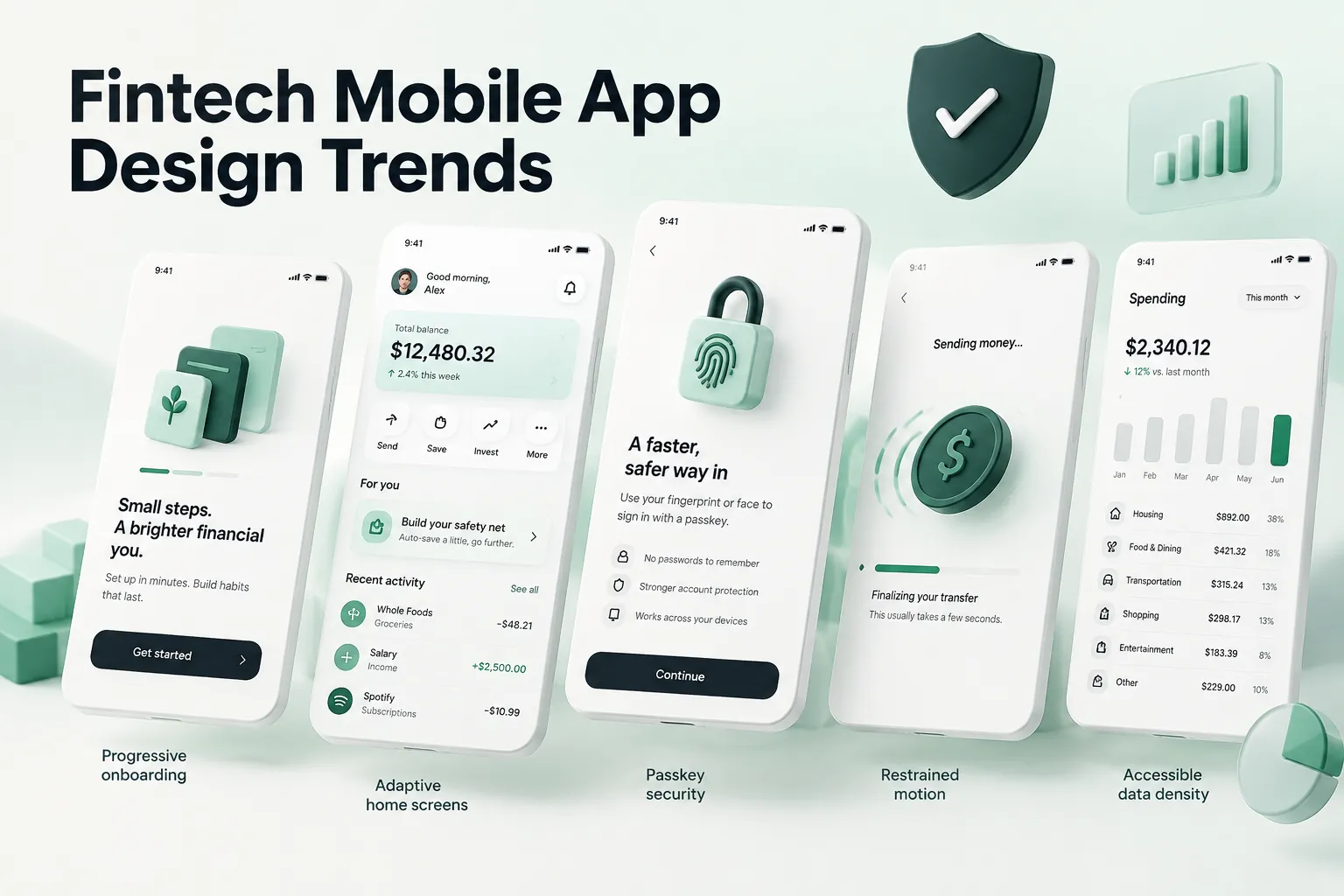
Customers expect to check balances, move money and approve transactions on their phones, with biometrics and instant alerts. Native is usually the right core experience, with a web app for onboarding, complex tasks and desktop users. When we redesigned onboarding for Zoe Financial, self-scheduling conversion rose from 8% to 22%. Onboarding decisions like these carry over whichever platform you build on. See the Zoe Financial case study and our guide to fintech mobile app design.
Healthcare
Medication reminders, device connections, wearables and patient engagement often need native capabilities. Patient portals, scheduling and provider tools frequently work well on the web. Privacy and HIPAA requirements apply to both. Our guide to healthcare app development cost breaks down what drives scope.
Entertainment and ticketing
Repeat purchasers value saved payment, mobile tickets and notifications, while first-time buyers often arrive through the web. The purchase flow is where revenue is won or lost on every platform. Our redesign of the Cinépolis online ticket flow lifted online ticket sales 25%. See the Cinépolis case study.
Nonprofits
Most donors give occasionally, so a fast, mobile-friendly web donation flow almost always matters more than an app. Native apps make sense for programs with frequent participation, such as volunteer coordination or member communities. Our guide on how to build a mobile app for your nonprofit covers when it is worth it.
B2B SaaS
The core product is usually a web app, because work happens on laptops and buyers evaluate in the browser. A native companion app earns its place when users need alerts, approvals or field data capture on the go.
The hybrid approach: when you need both
For many growing products the honest answer is "both, in the right order". A common path looks like this:
- Start with a responsive web experience that handles acquisition, evaluation and sign-up, because that is where new users find you.
- Watch how people use it. Which tasks do they repeat? When do they come back? Which moments would be better with a notification, the camera or offline access?
- Build native for the repeat tasks, not for everything. The native app can focus on the handful of actions loyal users take every week.
- Keep both on one design system so the brand, patterns and language stay consistent, with platform-specific variations where users expect them.
This order keeps early investment focused on learning and lets usage data, not guesswork, decide what the native app should do.
What to plan for with each build
Planning a native app
- Design for both iOS and Android conventions, even with a shared codebase.
- Plan app store listings, screenshots, privacy disclosures and review cycles.
- Decide how you will handle versioning, forced updates and older devices.
- Set up crash reporting, analytics and a feedback channel from the first release.
- Budget ongoing maintenance for operating system updates and new devices.
Planning a web app
- Design mobile first and test performance on mid-range phones and slower connections.
- Make key pages crawlable and fast if search is part of your acquisition plan.
- Decide whether progressive web app features such as offline caching or home screen install are worth adding.
- Meet WCAG accessibility requirements from the start.
- Plan browser support and test on Safari, Chrome and the browsers your users actually have.
Questions to ask before you commit
- What would a user do in the app every week that they cannot do well on the web?
- How will new users discover us, and how many steps sit between that moment and value?
- Which device features are essential, and which are nice to have?
- Who will maintain each platform a year after launch?
- What evidence from real users supports this choice?
Design principles that apply either way
- Design mobile first. Whether native or web, most of your users will meet you on a phone first.
- Put the top task within thumb reach. Primary actions belong where a thumb can reach them, not in a corner.
- Make onboarding earn its steps. Show value before asking for everything. Our onboarding UX guide goes deeper, and Buildbox is a good example: after we rebuilt its first-run experience, churn fell 32%.
- Use a shared design system. One system with platform-specific variants keeps web, iOS and Android consistent without forcing identical screens.
- Respect platform conventions. Follow Apple's Human Interface Guidelines and Google's Material Design where it matters to users, especially navigation and system controls.
- Test on real devices with real users. Simulators hide problems with performance, touch targets and lighting.
Common mistakes in the native app vs web app decision
- Building native because competitors did. If your users visit a few times a year, an app will sit unused.
- Treating the web app as an afterthought. It is often the first impression and the main acquisition channel.
- Building everything for every platform at once. Start where your users are, prove the core workflow, then expand.
- Ignoring maintenance and release processes. Plan who will update, monitor and support each platform.
- Skipping research. Interview users about where, when and how often they would use the product before choosing a platform.
How WANDR helps
WANDR is a senior-led product design and development studio founded in 2016 in Los Angeles, with 500+ projects over more than 10 years. We build native mobile apps, web apps and responsive websites, so the recommendation follows your users, not our preference. Clients report 93% satisfaction and we are rated 5 stars on Clutch. We have also been named one of Inc. 5000's fastest-growing companies 3 years in a row.
A typical engagement starts with research and a prototype to settle the platform question with evidence, then moves into design and build on a shared design system. You can see the full scope on our UI/UX design services page.
Make the platform decision with evidence
The native app vs web app question has a clear answer once you know how often people will use your product, how they will find it and which device features it depends on. Start with your users' habits, validate the core workflow, and build for the platform that removes the most friction for the people who matter most. If you are unsure, start where your users already are, measure what they repeat, and let that evidence decide when a native app is worth the investment.
If you already have a product and want an expert read on where it is losing users, our $499 UX Audit covers one major flow with a written report and prioritized fixes. Want to start smaller? Ask for a Free UX Snapshot when you book a call.