
The whole topic of should designers learn to code has two takes to it. On one side, there are some great designers who are good at coding and transitioning their vision from Figma to HTML. On the other side, many believe that specializing in particular skills makes them an invaluable asset.
Learning to code helps in understanding the basics of the UI/UX realm and makes it easier to collaborate with developers and bring them into the design process.

Learning to Code Also Helps to
- Ask the right questions when working with developers.
- Negotiate the timeline on how long the design task will take to complete.
Let’s check how learning to code knowledge can help designers in building a better product and move their vision from Figma to HTML.
Learning to Code Brings Down the Errors
By understanding the tech stack, errors and miscommunication can be reduced between the design and implementation stages. As a designer, I don’t have to worry about handing out design to a developer fearing it could get “lost in translation” when I can hand out instructions on the tech stack which can be valuable.
Aaron Walter, Vice President of Design Education at InVision, stated in a Toptal Design Talks article:
“It’s not going to kill a designer if they knew a little bit about how to write some HTML and CSS, maybe a little bit of JavaScript.”
Here’s some insider’s scoop on a website’s design process.
With reduced errors comes a reduced time that it takes to implement the design, but a designer also needs the knowledge on speaking code to confidently communicate their creative vision of the design.
Speaking Code
The discrepancy between a designer and developer can be broken down if they speak each other’s language. Designers who can speak “front-end” have a better understanding of what’s possible and what isn’t from a front-end perspective and make collaboration easier.
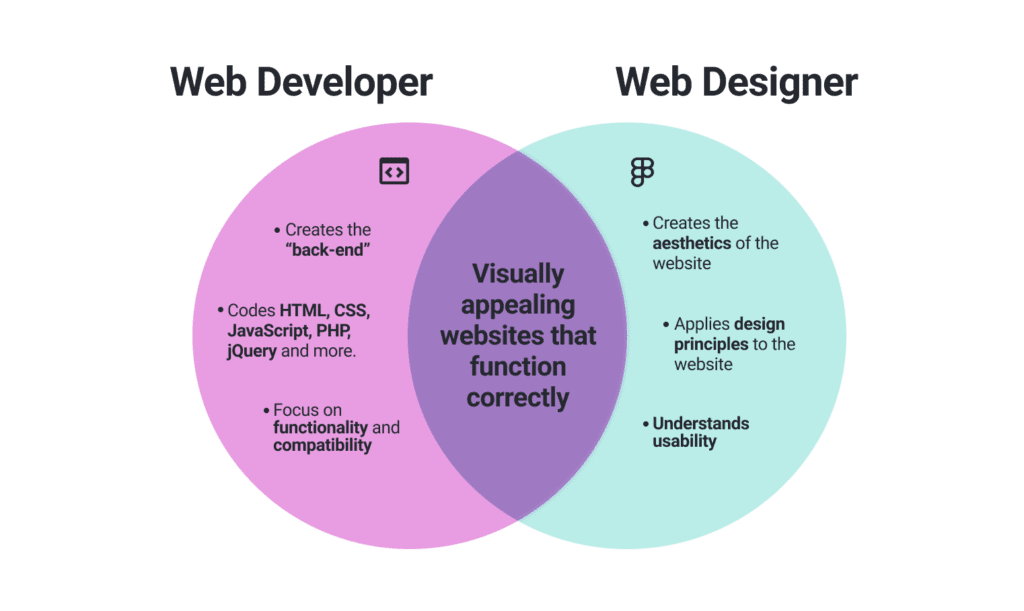
With some fundamental knowledge of CSS & HTML, you can design not just for the users, but also for the developers to bring fruition to your design.
The Benefit of Knowing CSS & HTML
By knowing the basics of CSS & HTML, a designer can hit the sweet spot of “shared understanding” where the person doesn’t have to be an expert coder but can understand a developer’s perspective.
Great designers understand that being familiar with technological terms like the CSS box model not only makes the designer impressive, but also boosts their career prospects.
With some knowledge of coding languages, designers can also explore tools like Figma to visually communicate their perspectives to the designers.
Getting Started with Figma
Figma is a design tool that enables free-form exploration with concepts like path, layer, and groups. You can use it to wireframe websites, prototype designs, and design mobile app interfaces.
Figma’s Auto Layout feature allows you to create designs that grow to fill or shrink to fit and adjust as the content changes. It brings the concept of the CSS box model to Figma and allows the designer to
- Create buttons that grow or shrink as you edit the text.
- Build a list that adapts as it grows
- Combine Auto Layout frames to build interfaces.
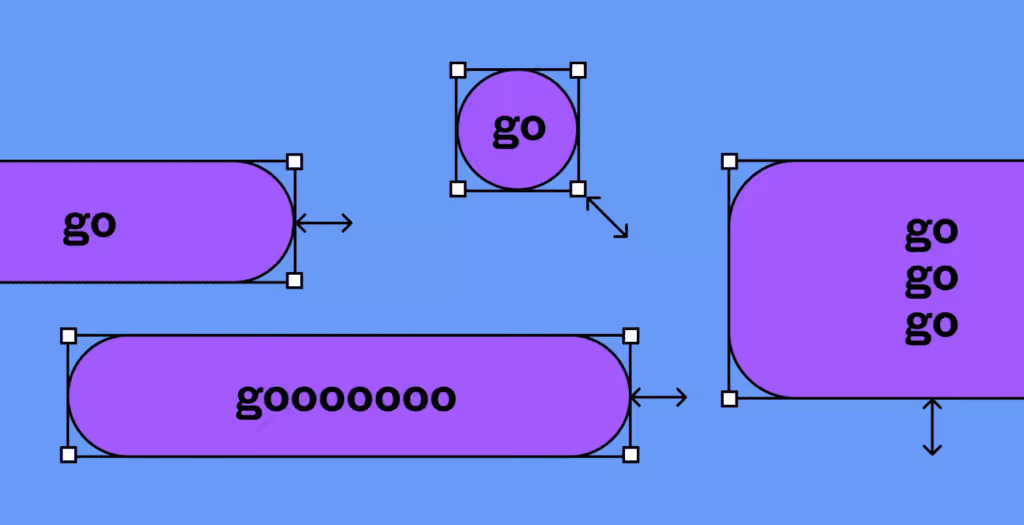
Source: Figma
“Auto Layout is an absolute pain-remover. It solves so many issues and allows me to make way more generic components with basic controls, instead of new components for variations in content.” — Guilhem Gantois, UX Consultant, Microsoft
Understanding how to use Figma with some basics of CSS allows the designer to visually communicate, but there’s a lot more when it comes to working with developers on building a product.
Collaborating with Developers
A major part of a designer’s workflow involves collaborating with people, especially developers.This could involve discussing features, brainstorming product design, or feedback on prototypes. Productive collaboration is a key ingredient for success between the development and the design team.
Here are some of the ways how designers have been having productive collaboration with developers.
“We sit with all our developers and talk with them every day. We’re constantly working together as we design to gauge technical feasibility, timelines, capabilities and to stay up on the latest technological advancements. After designing, prototyping and testing solutions we’ll have a more official review with all the dev leads as a final sign off before it gets into development so everyone is on the same page.” - Ben Peck, Former Product Designer at Seismic Software
“ Developers expect clarity, thoroughness, and a coherent vision from me. So I have the responsibility to think through the problems and special cases before delivering user stories, wireframes or mockups.” - Gabor Lenard, Digital Product Designer, Zenvite
Going the Extra Mile
A designer is a creator who addresses the user and their needs. Working with developers is extremely important for rolling out a smooth and successful product. May it be Figma or whatever tool a designer may use, learning some basics of coding from HTML to CSS can improve the communication between both the parties and help the team to work in tandem properly.
Click here to learn more web development terminologies and Figma tips.