

User Experience (UX) surveys are questionnaires that ask real users how easy, useful, and satisfying a product or website is to use. A good user experience survey takes 5 to 10 minutes, combines a standard rating scale such as SUS, NPS, or CSAT with a few open-ended questions, and reaches many users at once. It shows you where to dig deeper with interviews or usability tests. By collecting data directly from users, UX surveys help designers and researchers make informed decisions during the product development. In this article, we will explore:
- The fundamentals of UX surveys
- Their purpose
- Their ideal length
- Types of questions to ask
- Best practices
- A step-by-step guide on how to conduct them effectively
What is a UX Survey?
A UX survey is a research method used to collect quantitative and qualitative data from users to understand their perceptions, preferences, and experiences with a product or service. It involves presenting a series of questions designed to elicit specific responses related to usability, satisfaction, and overall user experience.
What is the Ideal Length of a UX Survey?
The ideal length of a UX survey depends on several factors, including the complexity of the product or service being evaluated and the target audience's attention span. Generally, shorter surveys tend to have higher completion rates and minimize respondent fatigue. Aim for a survey that can be completed within 5-10 minutes, translating to around 10-20 questions, unless you are working with a panel of established users receiving an incentive for the time spent completing it.
What is the Purpose of a UX Survey?
The purpose of a UX survey is to gather user feedback that can be used to improve or even discover new necessities related to the design and usability of a product or service. Key objectives include:
Identifying pain points
Understand the challenges users face while interacting with the product or service.
Evaluating satisfaction levels
Measure user satisfaction and identify areas for improvement.
Gathering demographic data
Collect information about the user's background, such as age, gender, and occupation, to analyze how different groups perceive the product.
Uncovering user preferences
Discover user preferences, motivations, and needs to tailor the product or service accordingly.
Assessing usability
Evaluate the desirability of specific features or functionalities.
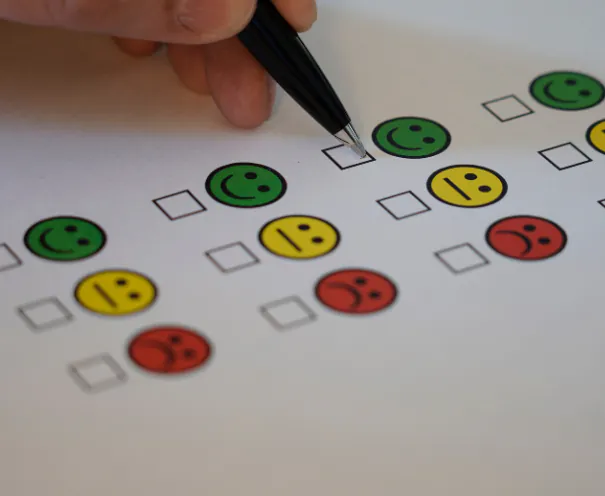
Types of User Experience Surveys: SUS, NPS, CSAT, CES, and SEQ
Standardized questionnaires let you compare results over time and against other products. These five cover most UX research surveys:
- System Usability Scale (SUS): 10 statements rated on a 5-point agreement scale, scored from 0 to 100. Across 500 studies analyzed by MeasuringU, the average SUS score is 68, so anything above 68 is above average. Use it after a usability test or to benchmark a whole product.
- Net Promoter Score (NPS): one question, "How likely are you to recommend us to a friend or colleague?" on a 0 to 10 scale. Promoters answer 9 or 10, detractors 0 to 6, and NPS is the percentage of promoters minus the percentage of detractors. It measures loyalty, not usability.
- Customer Satisfaction (CSAT): "How satisfied are you with...?" on a 1 to 5 scale, asked right after a specific interaction such as checkout or a support chat.
- Customer Effort Score (CES): asks how easy it was to complete a task or resolve an issue. Effort often predicts frustration better than overall satisfaction.
- Single Ease Question (SEQ): "Overall, how difficult or easy was the task to complete?" on a 7-point scale, asked immediately after each task in a usability test.
Always follow a rating question with "Why did you give that score?" The number tells you where a problem is. The open answer tells you what it is.
What Kind of Questions Should a UX Survey Ask?
To create practical UX survey questions, consider the following guidelines:
Keep questions clear and concise
Use simple language and avoid jargon to ensure participants understand the questions easily.
Ask both closed and open-ended questions
Closed-ended questions provide predefined answer choices and allow for quantitative analysis, while open-ended questions encourage participants to provide detailed insights and qualitative feedback. When closed questions are used make sure you randomize all questions except those with scales satisfactions or agreement questions.
Here are four examples of each type:
Open-ended questions:
- What do you like most about our product/service? Please provide specific details or examples.
- Describe a situation where you found our website/app easy to use and navigate. What made it a positive experience for you?
- If you could change one thing about our product, what would it be? Why do you think this change is necessary?
- Tell us about any challenges you faced while using our platform. How did you try to overcome them?
Close-ended questions:
- On a scale of 1 to 10, how satisfied are you with our product/service?
- Which of the following features do you find most useful? (Select all that apply)
Option A
Option B
Option C
Option D
- Have you recommended our product/service to others? (Yes/No)
- How often do you use our app/website in a week?
Daily
2-3 times a week
Once a week
Less than once a week
Focus on specific aspects
Direct questions towards the key elements of the user experience, such as usability, visual appeal, functionality, and overall satisfaction.
Use rating scales
Utilize Likert scales or numerical rating systems to measure user satisfaction or agreement levels.
Incorporate demographic questions
Include a few demographic questions to segment and analyze responses based on different user groups.
Test questions beforehand
Pilot test the survey with a small group of users to identify any ambiguities or potential issues before distributing it widely.
Need inspiration for your questions? Survey Sparrow, Refiner, and Start Question give you great ideas!

15 User Experience Survey Questions (Examples by Goal)
Pick questions that match the decision you need to make. Don't use all of them in one survey.
Usability
- How easy or difficult was it to [complete task] today?
- Was there anything confusing or unexpected while using [feature]?
- Did you find what you were looking for? If not, what was missing?
Satisfaction and loyalty
- How satisfied are you with [product] overall?
- How likely are you to recommend [product] to a colleague? Why?
- How would you feel if you could no longer use [product]?
Website user experience survey
- What brought you to our website today?
- Were you able to complete what you came to do?
- What, if anything, nearly stopped you from signing up or buying?
Features and needs
- Which feature do you use most, and why?
- What's one thing you wish [product] did that it doesn't?
- What do you use alongside [product] to get the job done?
Discovery and context
- What's your role, and how often do you use [product]?
- What problem were you trying to solve when you started using [product]?
- What other tools did you try before this one?
6 UX Survey Best Practices:
To ensure the success of your UX survey, follow these best practices:
Define clear objectives
Identify the specific goals you want to achieve with the survey, such as improving a particular feature or addressing usability concerns.
Keep it simple
Use plain language, avoid leading questions, and maintain a logical flow throughout the survey.
Prioritize important questions
Place the most critical questions first to capture respondents' attention and prevent drop-off rates.
Offer incentives
Encourage participation by offering incentives, such as discounts, free trials, or gift cards.
Ensure anonymity and confidentiality
Assure participants that their responses will remain anonymous and confidential to encourage honest feedback.
Analyze and act on results
Thoroughly analyze the survey data and identify critical patterns and trends to inform design decisions and improvements.
How to Conduct UX Surveys: Step-by-Step Guide
Follow these steps to conduct a UX survey effectively:
Step 1: Define your research objectives
Clearly outline the goals and objectives of the survey.
Step 2: Identify your target audience
Determine the characteristics of the users you want to survey, such as demographics and specific user segments.
Step 3: Create the survey questions
Craft a combination of closed and open-ended questions that align with your research objectives.
Step 4: Pilot test the survey
Test the survey with a small group of users to identify any issues, ambiguities, or areas for improvement.
Step 5: Distribute the survey
Choose a suitable method for distributing the survey, such as email invitations, website pop-ups, or social media platforms. Ensure that the survey is mobile-friendly for participants using smartphones or tablets.
Step 6: Analyze the data
Collect and organize the survey responses, and analyze the data to uncover patterns and insights. Utilize statistical analysis tools or qualitative coding techniques to gain a deeper understanding of the results.
Step 7: Draw conclusions and take action
Interpret the survey findings, draw conclusions, and identify actionable insights to guide product improvements and optimizations.
How Many Responses Does a UX Survey Need?
It depends on how precise the numbers need to be. A common guideline from Nielsen Norman Group is about 40 respondents for quantitative UX metrics, which gives roughly a 15% margin of error at 95% confidence for a user base larger than 500 people. If you need to compare segments (for example, admins vs. end users), aim for that number per segment. For open-ended questions, patterns usually appear well before that, so read responses as they come in.
UX survey tools
- General survey builders: Google Forms, Typeform, SurveyMonkey, and Qualtrics for email or link-based surveys.
- In-product and on-site surveys: tools such as Hotjar or Sprig trigger short surveys at a specific moment, like after onboarding or on exit intent.
- UX research platforms: Maze and Lyssna combine surveys with usability tests, so you can ask an SEQ right after a task.
Need help designing the survey or turning results into design changes? See our user research and usability testing services.
Conclusion
UX surveys provide valuable insights into user preferences, behaviors, and satisfaction levels. By following best practices and employing a well-structured approach, you can create effective UX surveys that generate actionable data. Remember to focus on clear objectives, keep surveys concise, ask relevant questions, and analyze the results thoroughly. By incorporating user feedback into the design process, you can enhance the user experience and create products and services that resonate with your target audience.